What Dropbox users wish they knew before signing up
From billing that continues after cancellation to backup that cannot restore, here is what Dropbox's own customers consistently say they wish they had known first.
Most people signing up for Dropbox are not reading reviews first. The platform is well known, widely referenced in professional contexts, and easy to start. The problems tend to surface after the fact. This article gathers what long-term and recently departed Dropbox customers say they wish they had known before committing.
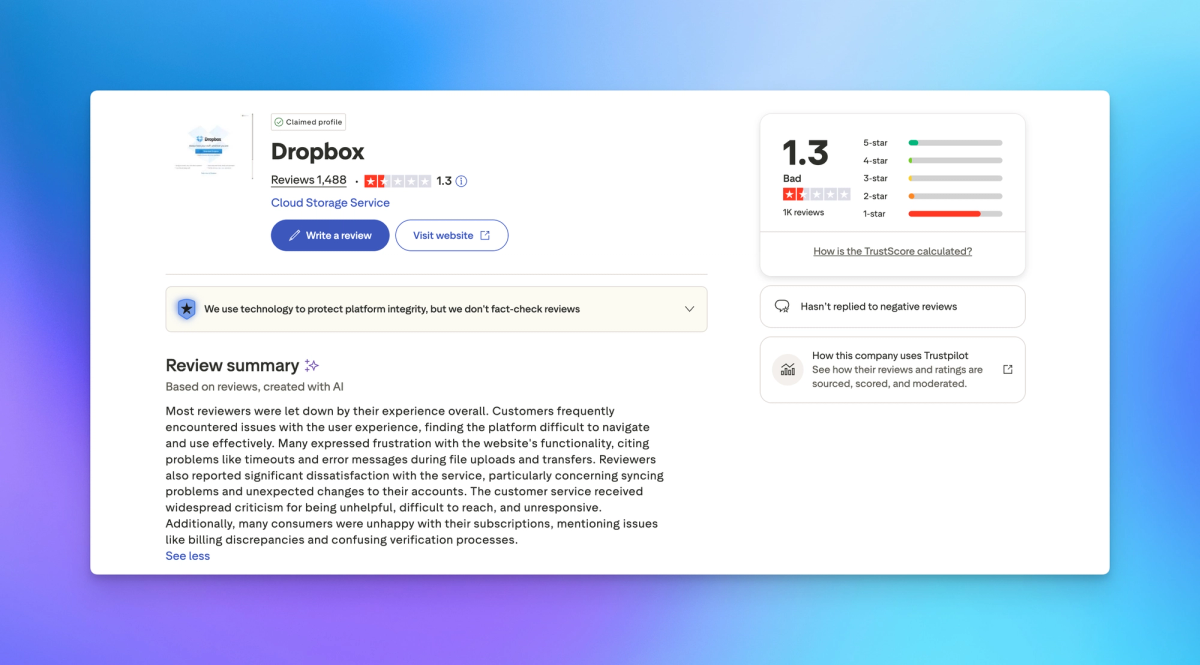
The source is Trustpilot, where Dropbox has 1,487 reviews and a 77% one-star rate. These are not disgruntled one-time users. Many reviewers describe years or even decades of use before reaching the point of writing a public warning.
Cancellation is not simple
This comes up more than any other complaint. Dropbox's cancellation process involves multiple screens, and reviewers across countries consistently describe it as designed to prevent you from completing it.
Michelle Wolfe Bulldog from the US put it bluntly: "Tried canceling this service and it automatically keeps renewing. How do I get rid of it." Pat Beard, also from the US, spent two weeks trying to cancel with no phone support and no live agent available. jody phanouvong from the US wrote: "They make it hard to cancel. There's no way to talk to anyone."
Adam S from the Netherlands described having to navigate a jungle of buttons to cancel a free trial, apparently completing the process, and then being charged. LT_lax from the UK described five separate cancellation screens each designed to cause a mis-click, followed by a charge for software he did not even have installed.
The practical implication: if you are on a monthly plan and decide to leave, budget time for a process that reviewers describe as taking anywhere from 30 minutes to several weeks. If you are on an annual plan, the auto-renewal may already have processed before you realize you wanted to cancel.
Charges can continue after you believe you have cancelled
This is a distinct problem from cancellation difficulty. These are cases where users completed what they understood to be a successful cancellation, received no indication the account was still active, and continued being charged.
Sara Porter from the UK cancelled her subscription years ago, including the auto-payment, and has been charged every year since. Her only resolution each time is hours on the phone with her bank. She described Dropbox as one of the worst companies she has ever dealt with and warns others to stay away.
Cindy Simmons from the US sold her business in 2025 and has been trying to stop the payments ever since. She received a confirmation email saying her account was closed. The December 2025 payment came out regardless.
Phil Hurst from the UK downgraded to the free tier and contacted Dropbox multiple times over six months. A representative confirmed the request had been passed to the accounts team. Six months later the monthly fee continued. James Thrussell from the US described the same: he cancelled and they kept charging his card. Multiple emails. Nothing changed.
Jen Nakonechny from Canada discovered that cancelling a charge they had applied after a supposedly cancelled free trial required completing a physical form and mailing it in.
Invited users you never activated are still billed
This is a pattern specific to business accounts that most reviewers only discover by accident.
Steven S from Belgium reviewed his billing and found that user invitations sent years earlier were being charged as full active licenses year after year. Those users had never accepted the invite, never logged in, and never stored a single file. The total came to over 1,700 euros. Dropbox's position was that the fine print allowed this.
He described it as a predatory billing practice and noted that Dropbox does not proactively alert you about unused licenses or pending invites that are costing you money. For any business that has grown, restructured, or changed staffing over time, the implication is worth checking before the next renewal.
The auto-renewal deadline is enforced strictly
Kane from the UK described ten years as a Dropbox Business customer. He requested a license reduction before renewal, the same change Dropbox had processed without issue in 2022, 2023, and 2024. This year Dropbox refused, citing a 30-day notice period. In every previous year Kane had received a renewal reminder. This year he received none. Dropbox held him to the deadline regardless, told him there was nothing they would do, and refused to escalate. He has begun migrating to Microsoft 365.
Bobby LAM from the UK had been on annual billing at $119.88 for years. Without any notice, his account was switched to monthly billing at $11.99 per month, which adds up to more over the year than the annual plan. He never authorized the change. Support provided no explanation and no refund.
A brief payment failure can permanently change your plan terms
One of the more serious risks documented in the reviews involves what happens after a billing interruption.
A UK reviewer who had stored tens of terabytes of professional client data for years experienced a temporary card issue caused by their bank flagging Dropbox as potential fraud. They updated payment immediately. No cancellation, no intent to change anything.
Dropbox permanently removed the storage they had been allocated from a discontinued unlimited plan. Their account was moved to a plan with a 30TB cap while they had 56TB stored. Restoring the previous storage level would require paying thousands more per year. Support stated there was no escalation and no reversal. The reviewer described it as a platform risk any business relying on Dropbox long-term should understand: one card flag and years of agreed terms can disappear overnight.
Backup does not mean restore
Dropbox sells a product called Backup. Multiple reviewers who needed it during actual data loss events found that restoration at scale does not function.
Pete Baxter from Australia backed up a large Photos library of hundreds of gigabytes. When he needed it, there was no functional restore option. Web downloads hit undocumented size limits. Downloading in smaller chunks still left large portions of the original files missing. Support gave misleading advice and then dismissed the issue. His conclusion: a backup product that cannot restore your data is not a backup.
Klement from South Africa described relying on Dropbox Backup after a drive failure. There was no bulk restore, no desktop restore, and no disaster recovery option that worked at scale. The only path was downloading a few folders at a time across thousands of folders. He called it a data hostage situation and moved his company of 40 people to Google Drive.
If you are using Dropbox Backup as your primary backup strategy, it is worth testing restoration before you need it.
Some features you might rely on have already been removed
Dropbox Vault, Dropbox Passwords, and Unlimited storage plans no longer exist. Reviewers who built workflows around these features received no adequate replacement.
Michael Curro from the US described Vault as the main reason he chose Dropbox over other options. After removal, the service no longer served his needs. He was still paying.
Reece Warner from the UK called it out directly: removing Vault with no alternative while making it impossible to speak to anyone about the decision. Jeremy Stec from the US described switching to Microsoft 365 when Dropbox removed Passwords, getting OneDrive and 1Password included in the bundle, and calling the decision obvious in hindsight.
John D from the US described 20 years on the platform and a product that once did one thing simply and well, turning over the past decade into slow, bloated software with constant interruptions and upgrade pressure.
There is no real support for most problems
Dropbox does not offer phone support for most plans. The in-product chat connects users to a bot that cannot escalate. Email response times reviewers describe range from one day to never.
Jared Sharp from the US described the product itself as a problem: Dropbox makes it easy to upload data but frustratingly hard to get it back. File compression limits, restrictions on downloading folders, and errors on folder moves turn data export into a slow, error-prone process.
CSMD, a US medical services business, described corruption on critical files, multiple attempts to reach someone, and only boilerplate email responses taking 12 to 36 hours each. They begged for a phone call and never received one.
Neil Barnett from the UK tried to access files a client had shared with him. The chat service redirected him to a third-party called Howly, which required a credit card and charged over $38 to connect him to someone.
If you encounter a problem that a basic help article does not resolve, the reviewers' experience suggests you should expect a long process with no guaranteed outcome.
What some users have moved to
Reviewers who describe leaving Dropbox mention Microsoft 365 with OneDrive for internal storage, Google Drive for document collaboration, and for client-facing file delivery, platforms specifically built for that purpose.
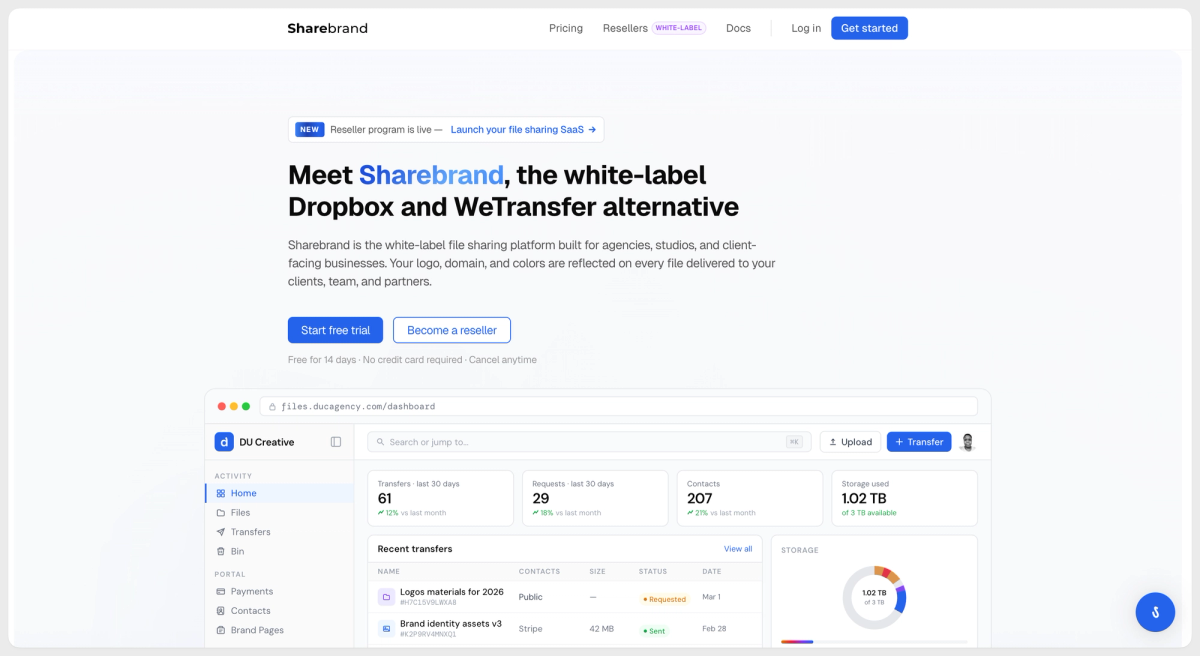
Sharebrand is one option in that last category. It is a white-label file sharing platform built for businesses that deliver work to clients. When you send a file through Sharebrand, the link goes out under your domain, the page shows your logo and name, and the email comes from your address. Your client never sees Sharebrand at any point. Recipients do not need an account to download, and if they create one it belongs to your workspace, not ours.
It is not a Dropbox replacement in the full sense. It does not offer desktop sync, does not install anything on your machine, and does not run in the background. It is built specifically for outbound client file delivery where your brand is what the client should see, not the platform's.
Pricing is $29 per month for 3TB and 5 team seats, $59 per month for 6TB and 10 team seats. A 14-day free trial with no credit card required is available at sharebrand.io.
Review citations drawn from public Trustpilot reviews. Names and countries match the published reviewer profiles.