Dropbox alternatives for agencies and client-facing businesses
Dropbox is built for internal teams. If you deliver files to clients professionally, here is what real users experience and what actually works better.
Agencies and studios have a specific file sharing problem. Work has to leave your business and arrive with a client looking professional, under your name, without asking the recipient to create an account with a third-party platform or pay someone else to download files you already paid to send.
Dropbox is what most people try first because of the name. It handles internal team storage and folder sync well enough. For client-facing delivery, it consistently creates friction that no plan upgrade resolves, and that conclusion comes directly from Dropbox's own paying customers.
What actually happens when you send a client a Dropbox link
When you share a file through Dropbox, several things happen that you cannot control regardless of your plan.
The link URL contains Dropbox's domain. If your client does not have a Dropbox account, they are prompted to create one or sign in before downloading. Recipients on the free tier see upgrade prompts and paywall messages when trying to access files someone else already paid to send.
Kaden, a US reviewer working at an agency, described this directly. The company he was working with had a premium account and invited him to access files. He could not copy a file link without being asked to upgrade. Every page he visited had a popup, some of them impossible to dismiss.
MASON LAW APC, a US law firm, described being charged to upload to a client's already-paid Dropbox folder. Constant upgrade popups while moving files. Slow, glitchy performance. William from Australia called out the same pattern: repeated upsells that make collaboration with anyone outside the team confusing and difficult.
This is not a misconfiguration. It is the product working as designed for a different use case than client delivery.
There is also a storage accounting problem that affects anyone working with external parties. When a client or collaborator shares a Dropbox folder with you, that storage counts against your quota. Richard from the UK described paying for 2TB and finding that sharing a large folder with a collaborator required that person to also pay Dropbox for the storage Richard was already covering. Dropbox refused any refund. Tom from the UK described the same: "If I have a file and I want to share it with you, I have to pay, and you have to pay."
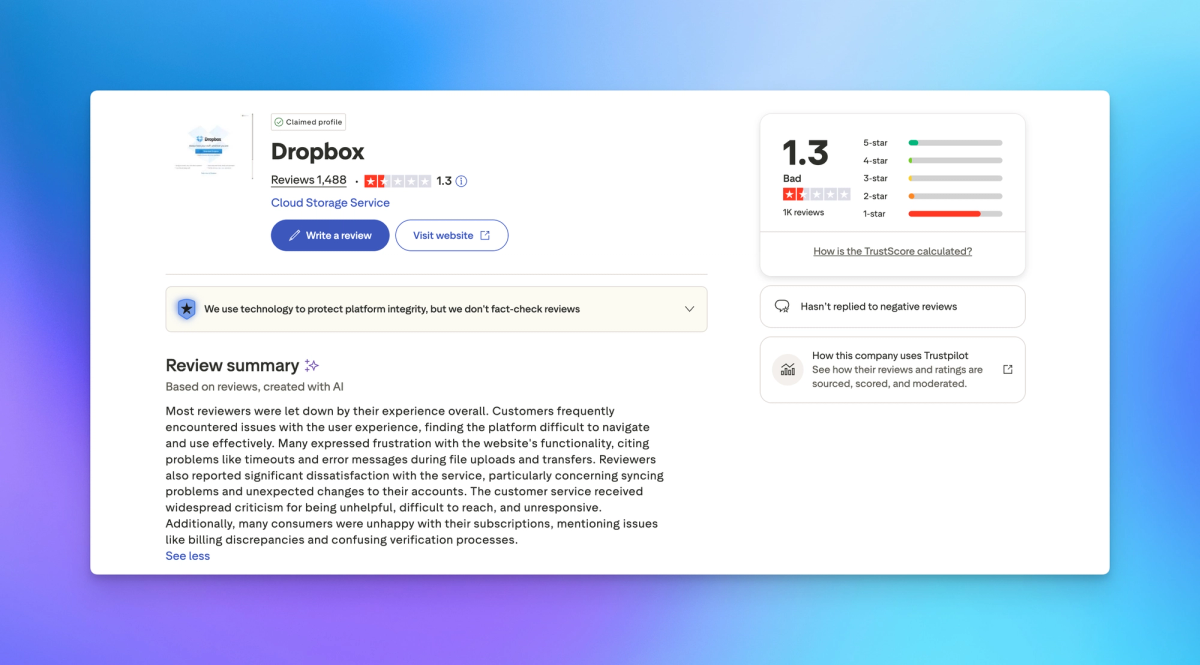
What the reviews say about support
For agencies where client deadlines matter, what counts is not just whether a tool works on a good day but what happens when something goes wrong.
Dropbox does not offer phone support for most plans. Gordon Freeman, a US business on enterprise plans for several years, described support as impossible to reach and, once reached via email, condescending. After one exchange, support stopped responding entirely.
Jennifer Maslowski from the US, on a paid corporate account, lost the ability to share files. A support agent named Colton told her the cause was suspicious files she had deleted hours before the problem even started. Four days passed with no follow-up from Colton or any escalation team. She described it as a serious business interruption.
Brian Cheetham from the UK spent over two months trying to resolve a Smart Sync issue on his Mac. Support refused to escalate throughout. After two months of repeating basic user-level steps, Brian diagnosed the problem himself: Dropbox's backend had incorrectly flagged his device in a restricted mode. Not one support agent had reviewed the technical evidence or passed the case to engineering.
Lee Ferguson, a US reviewer with 40 years of IT experience, spent two hours across three agents on a sync issue and was asked for a screenshot of a grayed-out download button as evidence. The problem was never resolved. He described it as two hours of his life he will never get back.
For a studio with a client presentation in the morning, a support structure that cannot escalate and responds once a day is a genuine operational risk.
Billing practices worth knowing before you sign
Several Dropbox billing patterns appear consistently across the public reviews. These are directly relevant to any business considering an annual contract.
Annual plans renew automatically. Kane, a UK business customer with ten years of loyalty, requested a routine license reduction before renewal, the same adjustment Dropbox had processed without issue in 2022, 2023, and 2024. This year Dropbox refused, cited a 30-day notice period, and pointed out that Kane had missed it. In every previous year he had received a renewal reminder. This year he received none. Dropbox held him to the deadline regardless. He is migrating to Microsoft 365.
Steven S from Belgium discovered that user invitations sent years earlier were being billed as full active licenses year after year, even though none of those users had ever accepted the invite, logged in, or stored a single file. The total reached over 1,700 euros. Dropbox's response pointed to the fine print.
Justin Crandall from the US was auto-renewed and told he owed $1,200 for the remainder of the contract year even after cancelling. He described Dropbox's model as designed to prevent cancellation, and noted the company has settled class action suits on the issue.
Charles Hayes from the UK found that Dropbox Sign, despite sharing branding and a domain with the main Dropbox service, maintains entirely separate billing. Money was taken from his card for over a year with no invoice sent and no billing information visible in his main account.
The alternatives worth considering
WeTransfer
WeTransfer handles one-time large file transfers cleanly. Recipients need no account on the free tier, and for sending a single large file to a client it is fast. For agencies that send deliverables repeatedly to the same clients and want a consistent branded workspace, WeTransfer is a transfer tool, not a client portal. Links go out under WeTransfer's domain. There is no persistent contact history and no payment gating.
Google Drive
Google Drive handles internal document storage and collaboration well within Google Workspace. For client delivery the same structural issue applies as with Dropbox. Links go out under Google's branding. Recipients without a Google account face friction. There is no custom domain option for client-facing file delivery.
Smash
Smash handles large file transfers without compression, up to 250GB per transfer on higher plans. Worth considering for video or photography studios sending large raw files. It is primarily a transfer tool rather than a persistent client workspace.
How Sharebrand approaches the problem
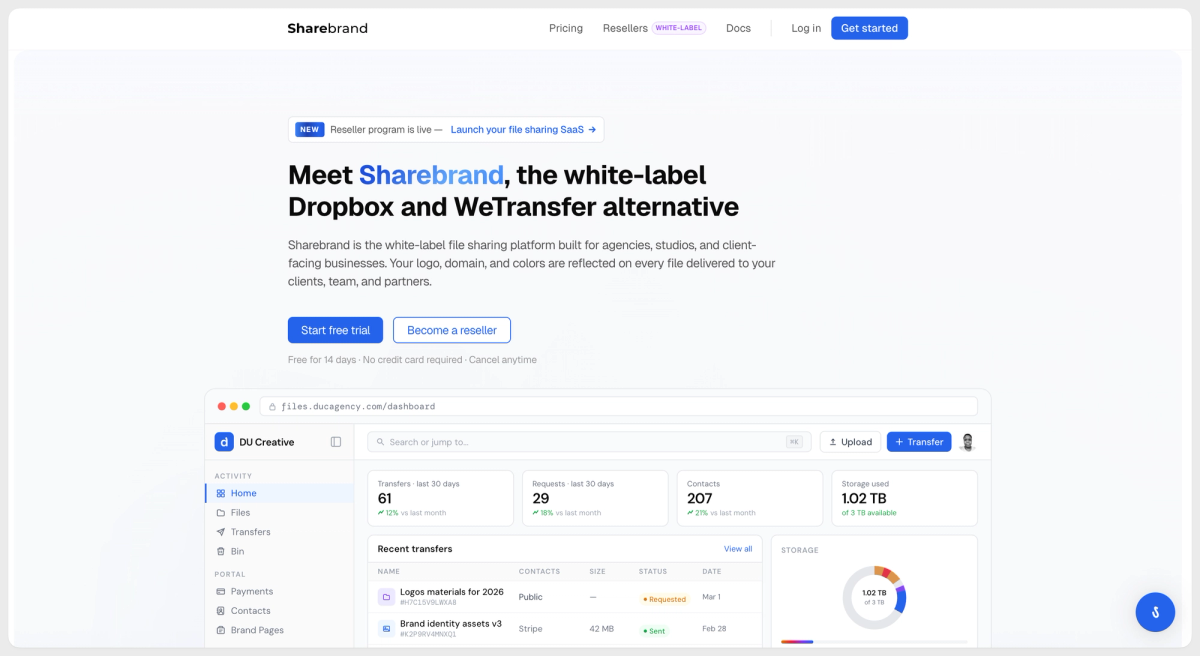
Sharebrand was built in 2024 specifically because of this gap. The founders ran a client-facing agency and needed to deliver work to clients who should see the agency's brand and domain, not the file platform's name.
When you send a file through Sharebrand, the link resolves at your domain. The page carries your logo, your colors, your name. The notification email comes from your address. Your client never sees Sharebrand at any point. If they download and move on, they had a clean, professional experience that reflects your brand. If they create an account to manage their files, that account lives in your workspace as your contact, not ours.
Recipients never need to pay to download files. They never see an upgrade popup. They never get asked to create a Sharebrand account. The relationship is between your business and your client. The platform stays invisible.
Sharebrand is browser-based. There is no desktop sync application, no mobile app, no background software. It is built for client delivery specifically, not for syncing a local folder across machines. That distinction matters: if your primary use case is internal file sync across a team, Dropbox or Google Drive will serve you better. If your use case is delivering work to clients professionally, under your own brand, Sharebrand is built for that.
Pricing is transparent and flat. Starter is $29 per month for 3TB and 5 team seats. Pro is $59 per month for 6TB and 10 team seats. Annual billing saves two months. No per-user fees beyond the plan seats. No commission on payments you collect through the platform. Recipients are always free and unlimited.
You can try it at sharebrand.io with a 14-day free trial and no credit card required.
Review citations drawn from public Trustpilot reviews. Names and countries match the published reviewer profiles.